
Selecting Virtual Joist Cross-Sections
To insert a joist member into a model, a VJ or VJG cross-section must first be selected. To do this, in the New Cross-Section window, select Virtual Joist as the group and open either the VJ or VJG tree for virtual joist sections or virtual joist girder sections, respectively. The number in the first column is the depth of the virtual joist, and the number in the second is an identifier. The depth and identifier together make up the VJ or VJG section name. In the image below, for example, a VJ10-1 is selected.
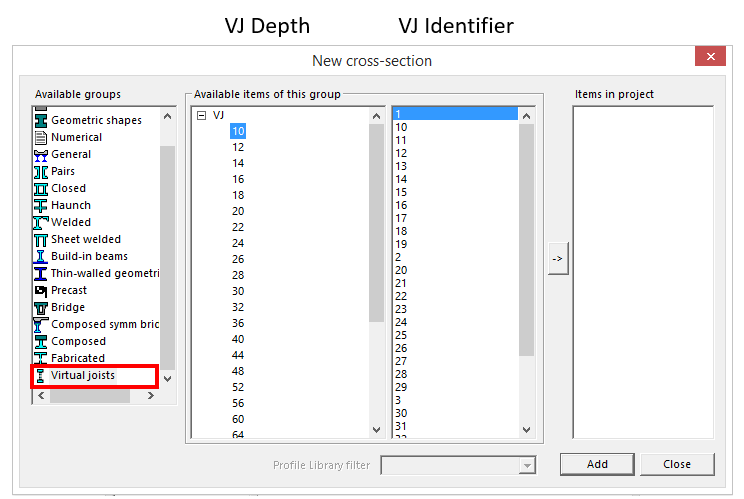
When adding VJ and VJG cross-sections to a model, the user may wish to select a depth for a joist that will be inserted into the initial model, but the identifier may be selected arbitrarily as it does not represent a physical property of the joist. The complete name of the joist correlates to cross-sectional properties specified by the Steel Joist Institute and thus the name of the virtual joist section may not be helpful for intuitively selecting initial sections for the model. Furthermore, once the model is complete, these original virtual joist (and joist girder) members must be checked for flexure, shear and axial forces and will likely be replaced in the Auto-Design process with optimized sections that pass the check.