Workflow principle
With SCIA AutoConverter you can import an IFC model and through multiple steps you'll get an analytical model which is connected properly:
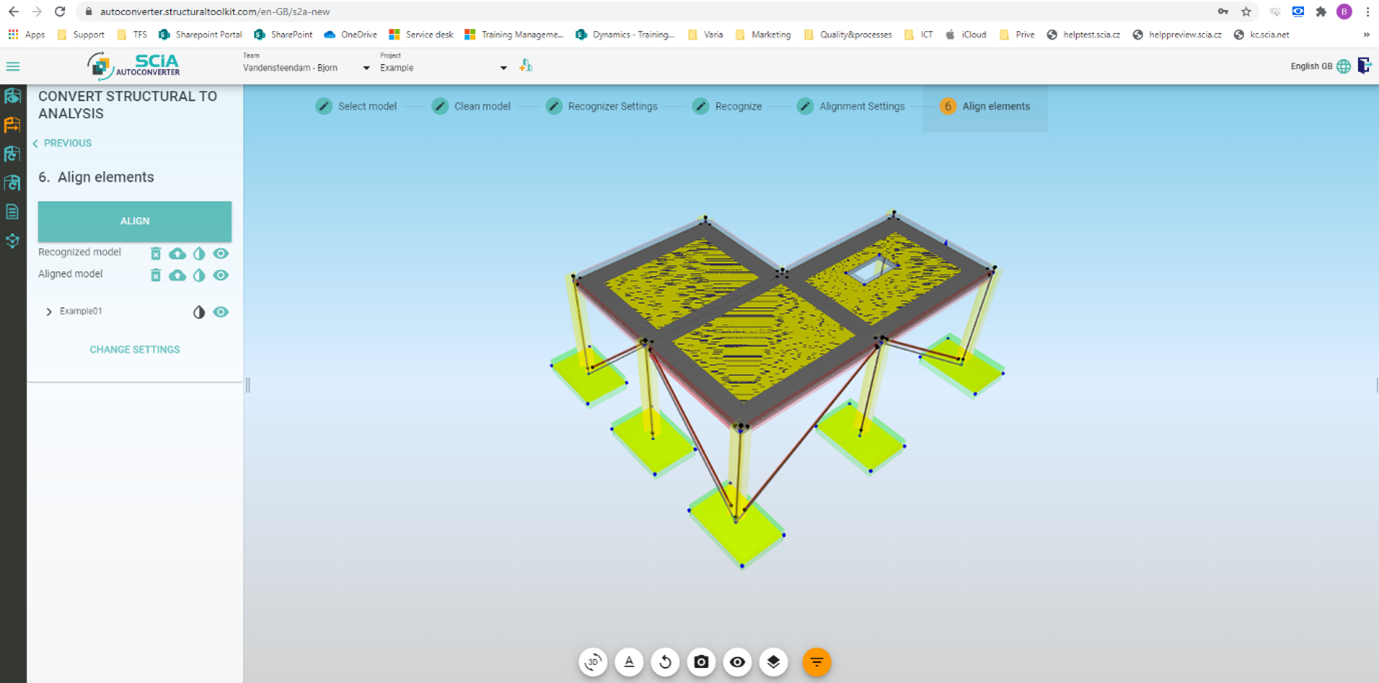
These different steps are described in following learning videos: here
The analytical model can directly be imported in SCIA Engineer and will still be connected properly:
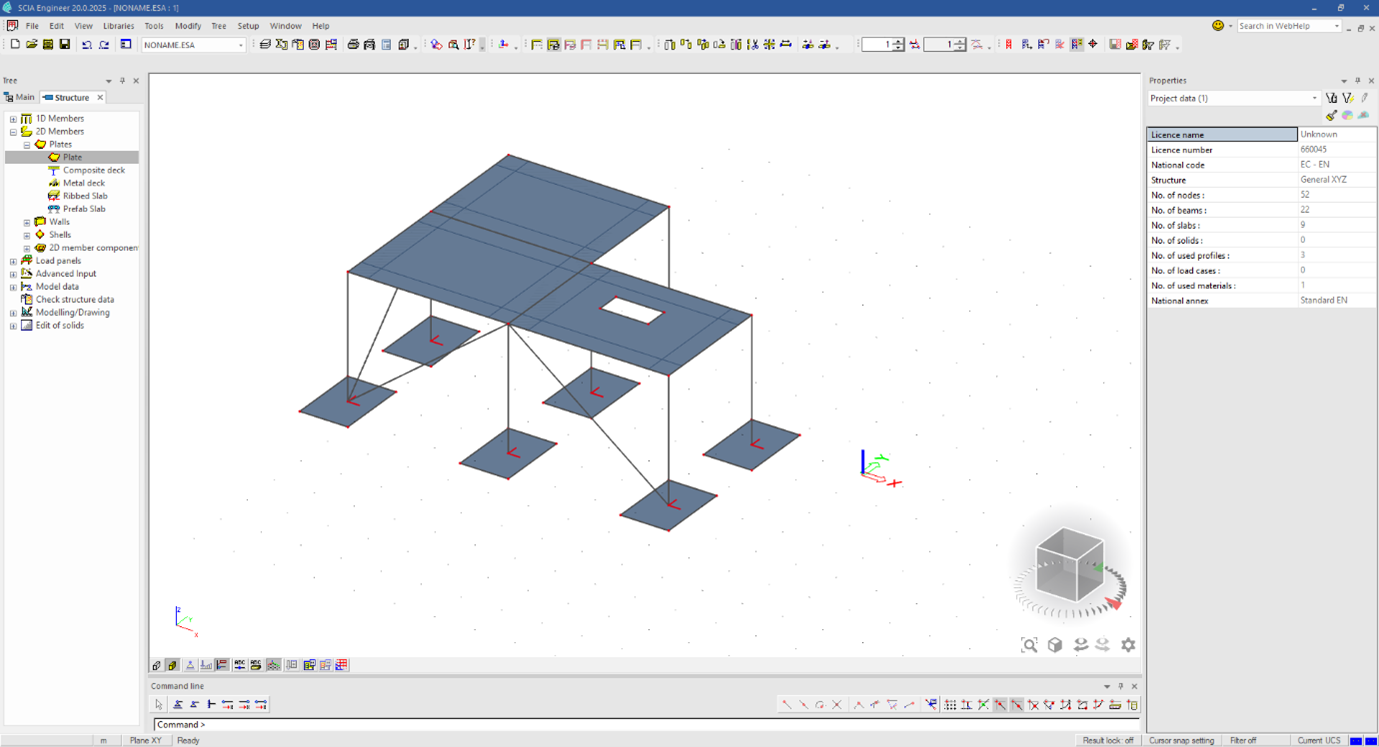
In SCIA Engineer you can make changes (deleting, adding elements,... as in the image below):
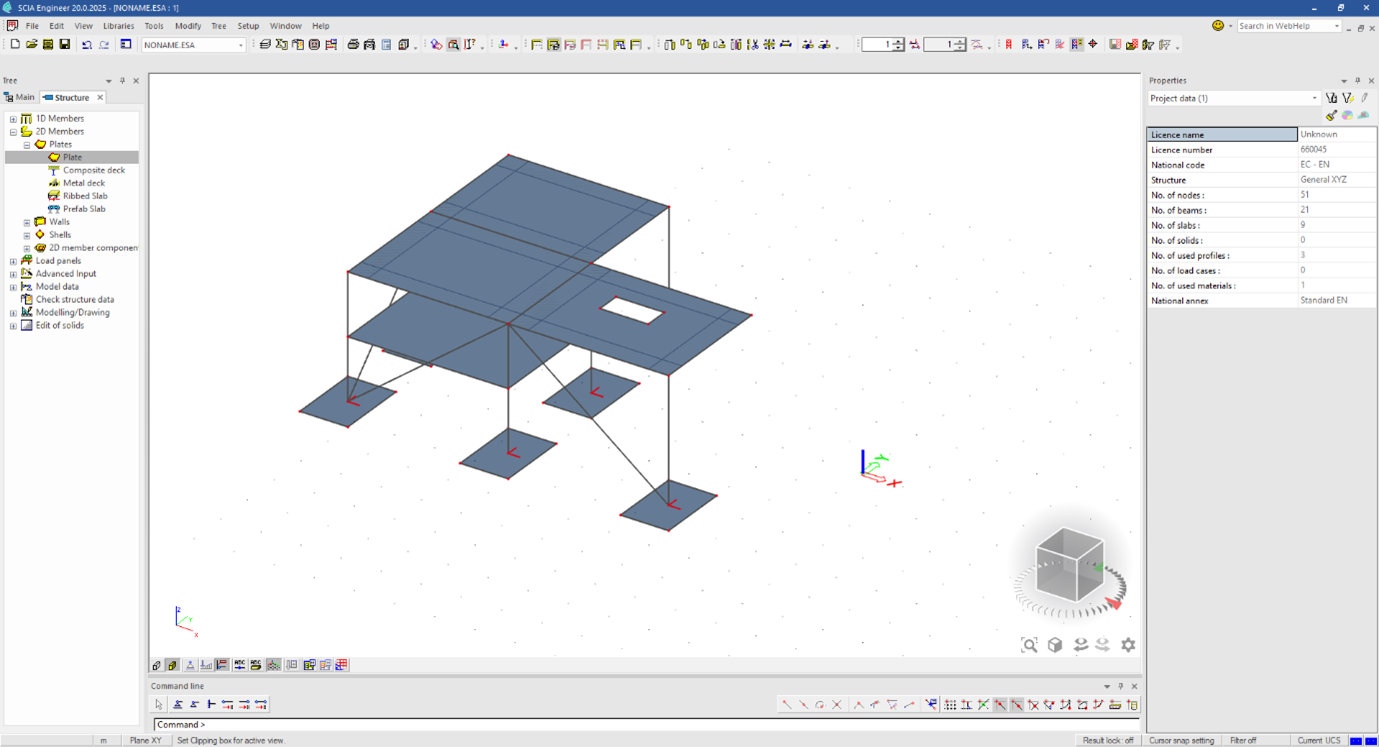
After the changes, you can sent this model back as a revision to Bimplus/SCIA AutoConverter:
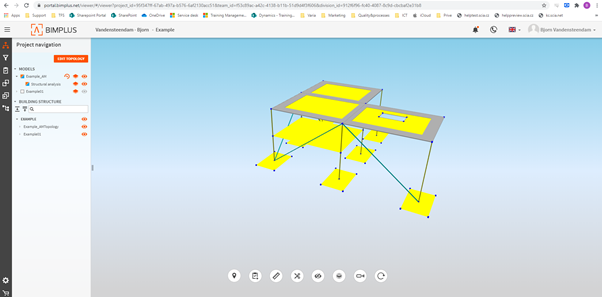
As you can see the analytical model is still connected properly through all of these steps.
When you are directly working with IFC import/export in SCIA Engineer, you are working with the structural model, which will not be connected properly.
That's why we have developed the SCIA AutoConverter, to convert the structural model to an analytical model in an easy and fast way.