Keyboard shortcuts
Improved usability is one of the key areas we focus on in SCIA Engineer to boost your productivity.
Using shortcuts can save you a lot clicks and thus, shorten the time and make working with the software easier.
In SCIA Engineer, you can use default shortcuts as well as customized shortcuts created by you or your colleagues.
Default shortcuts
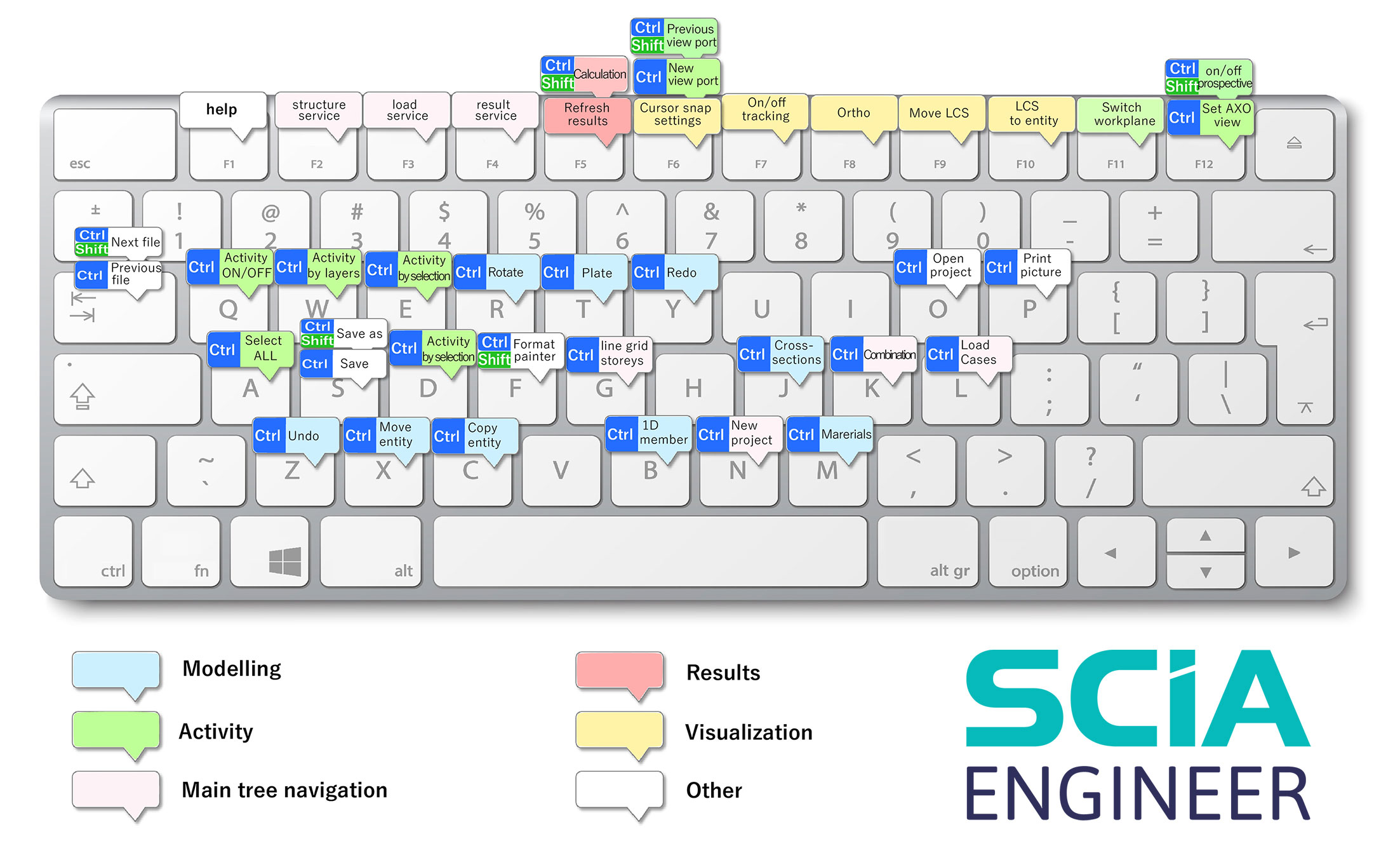
The default shortcuts cover the most frequently used commands and actions, for example those in the main menu. Services like Structure, Loads and Results are the ones that you deal with every time you work in SCIA Engineer. Instead of opening and closing them countless times and 'jumping' from one service to another, you can use the function keys to open and switch between the services in a click:
- F2 = Structure
- F3 = Loads
- F4 = Results
-
F5 = Refresh
You will appreciate this especially when reviewing various results. Now, you simply choose the required result value in the property dialog and press the F5 key.
Other default shortcuts include: Run calculation, UCS manipulations, Activity, input of primary elements such as beams, slabs or line grids and more.
Check our help-page for the full list of default shortcuts: List of keyboards shortcuts
User-defined shortcuts
Customize your working environment by assinging a keyboard shortcut to any SCIA Engineer command to work more effectively the way you prefere. User-defined shortcuts can be stored in a file and imported to other installation of SCIA Engineer, enabling you to work in a customized environment, for example, that can be easily shared within the whole company.
Go to our help-page for detailed instructions: Customizing keyboard shortcuts via customize dialogue